Engram
A private second brain for your notes, files and meetings. Each answer shows its sources.
- Runs on
- macOS
- Status
- Alpha
- Version
- 1.1.0
- Needs
- macOS 14.4 or later on Apple silicon
- Source
- Closed source
- Built with
The problem
My knowledge is in many places: notes, PDFs, saved web pages and meeting recordings. I forget most of it. On calls, people make commitments, and weeks later nobody can find who said what. Most AI tools that can help want my files and my client calls on their servers.
What it does
Engram keeps your notes, documents, web pages and meetings on your Mac, and answers your questions about them with the sources.
- Add notes, PDF, Word and Markdown files, web pages, images, audio, video and full folders.
- Ask questions in a chat, and see which memories each part of the answer comes from.
- Sort your memories into categories that you choose. Engram does not file them for you.
- Ask about only some categories, for example only your client notes.
- Record a call. Engram makes a transcript on your Mac, tells the voices apart and files the meeting.
- Give each voice a name one time, and Engram knows that voice in the next meetings.
- See your memories, categories and the names in them as a map of links.
- Run web research that gives a report with sources and saves it as a memory.
- Review flashcards that Engram makes from your memories.
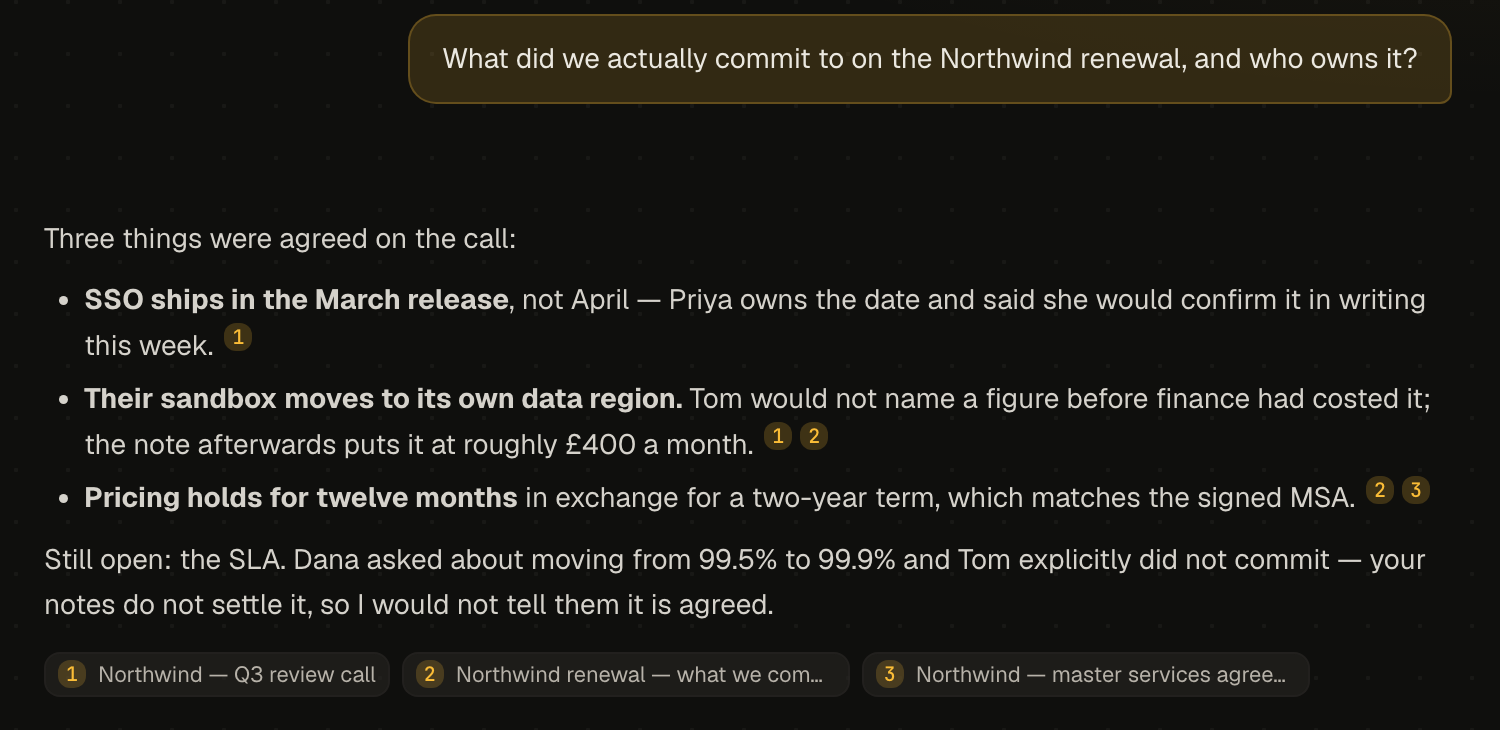
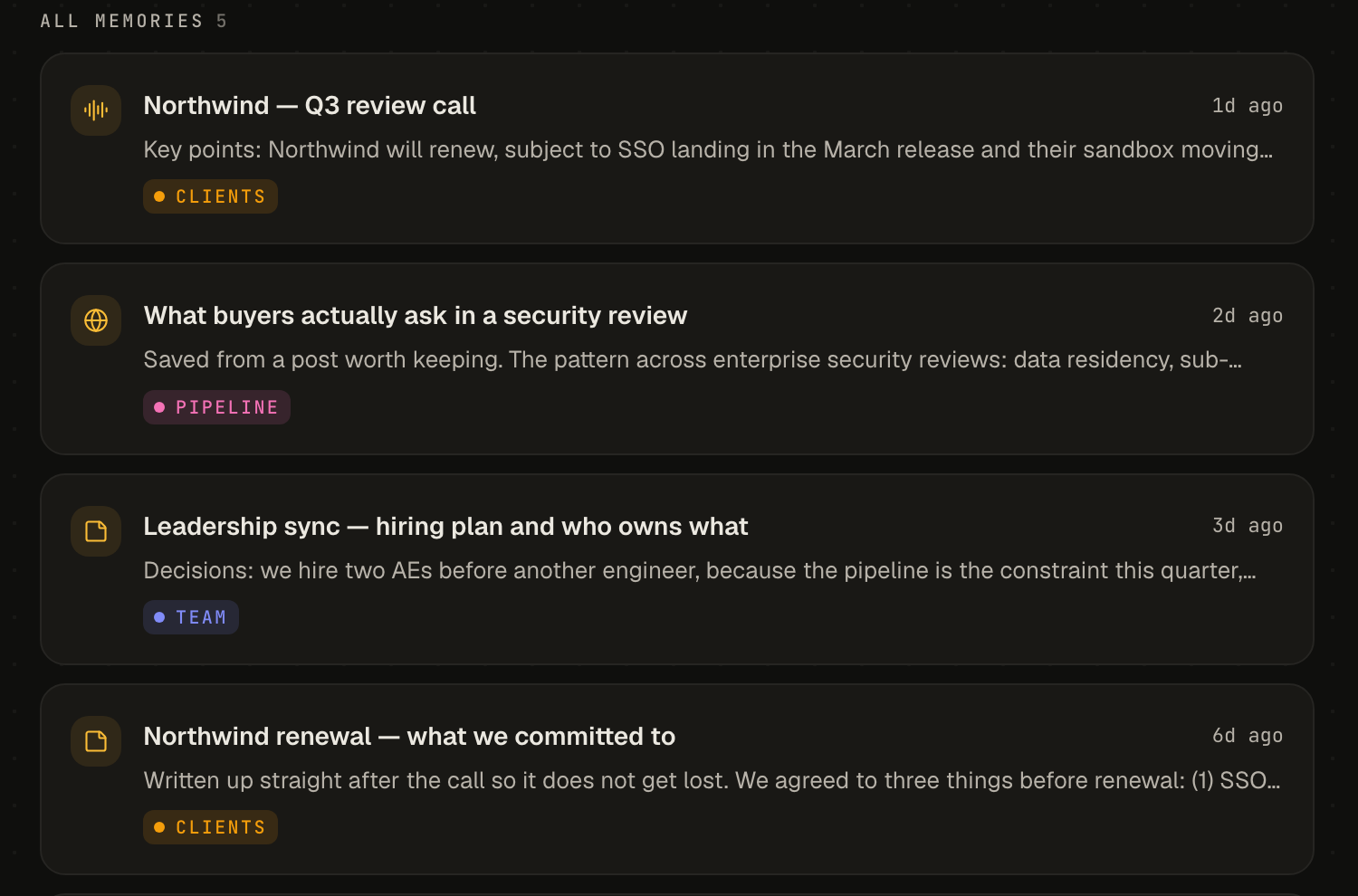
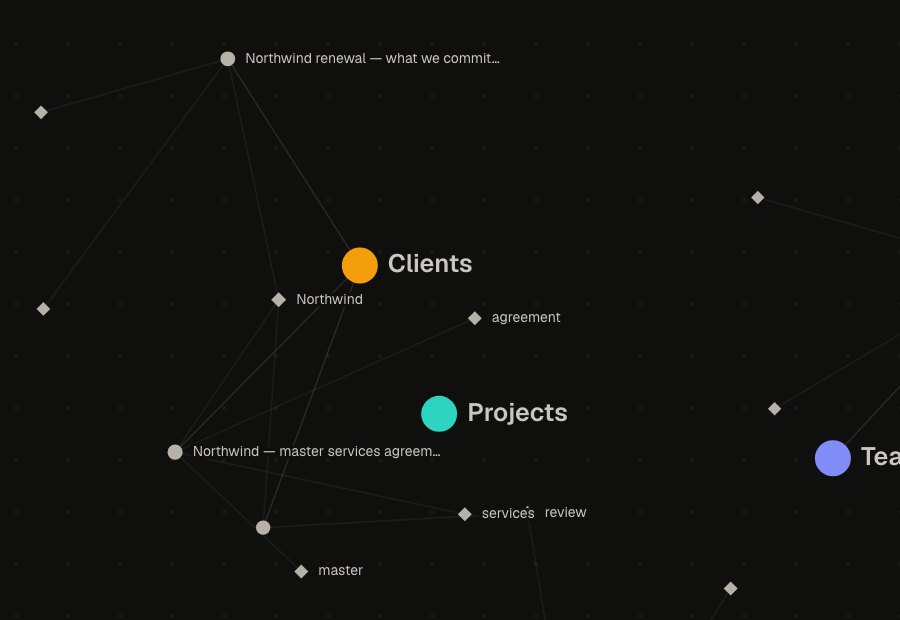
The screenshots use sample data.
Decisions & trade-offs
Data on the Mac, in an encrypted database. I keep all memories in one encrypted database on your Mac, and I keep the keys in the macOS keychain. Engram has no server and no account. The cost is that you cannot open your brain on a second device yet.
Listen on the Mac, think in the cloud. I keep transcription, voice recognition and search on your Mac. Chat and summaries use a free cloud model by default, or your own provider. Earlier versions ran the language model on the Mac, but new models crashed the app. The cost is that questions and the related notes go to the model provider.
Two kinds of search together. I combine a search for exact words with a search for meaning. You find a note when you remember a name, and also when you remember only the idea. The cost is a second index on your Mac.
Categories that you control. I let the AI suggest a category, but you must confirm it. Your brain stays in the order you want. The cost is that you do the sorting.
System audio through a small helper. I record calls with a small helper app inside Engram that captures both sides of the call. This needs macOS 14.4 or later, and macOS asks for permission one time.
What's next
- Builds for Windows and Linux.
- Encrypted sync between your devices, as an optional paid add-on. The local brain stays free.
- A companion app for phones, to search your brain and review flashcards.
- A notarized build. Now macOS shows a warning when you open Engram for the first time.