- Runs on
- macOS
- Status
- Beta
- Version
- 0.1.1
- Needs
- macOS 15 Sequoia or later
- Source
- Closed source
- Built with
The problem
macOS gives you a short list of resolutions and a brightness slider for the built-in screen. On most external monitors, brightness, contrast, volume and input are on buttons on the monitor. Also, you cannot turn a screen off unless you disconnect the cable. BetterDisplay solves most of this, so I used it as a model for an independent native app, and to learn how each part works.
What it does
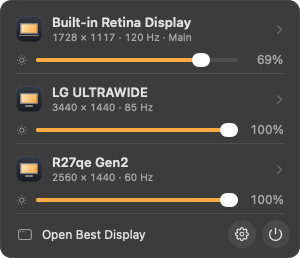
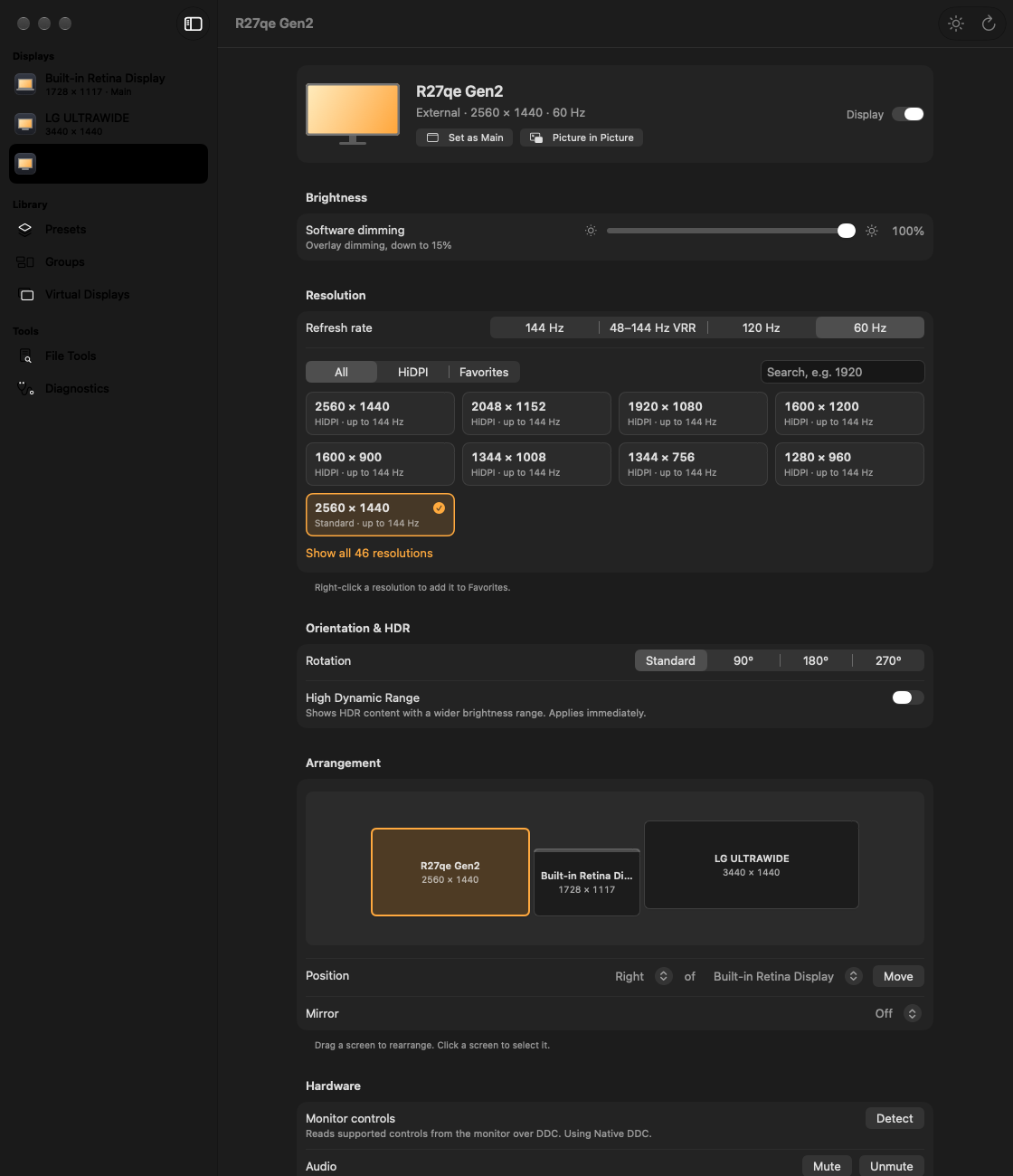
Best Display helps you control every screen on your Mac from the menu bar or from a main window.
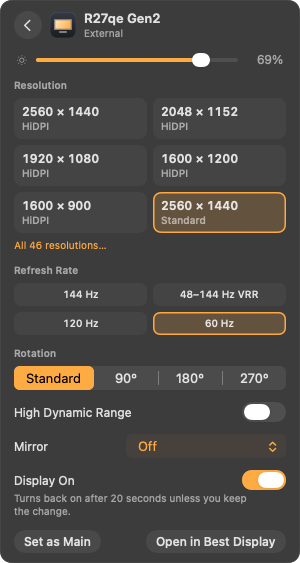
- Make text and windows bigger or smaller, with more size choices than System Settings gives.
- Drag your screens on a map to arrange them, rotate them, or show the same picture on two screens.
- Turn a screen off and on again, with the cable still connected.
- Change the brightness of the built-in screen, and make any screen darker.
- Change the brightness, contrast, volume and input of an external monitor from your Mac.
- Add a virtual screen, a screen that exists only in software, at any size.
- Watch another screen in a small window that floats above your work.
- Save your setups and load them again later, and dim a group of screens together.
If a change can leave you without a usable screen, the app asks you to keep it. If you do not keep it in 20 seconds, the app undoes the change.
Best Display is a development preview. I must still test most of these controls on real monitors.
The easiest way to install it is this command in Terminal:
curl -fsSL https://pub-97d33218fab14275aa717bb971d73f44.r2.dev/install.sh | bash
If you download the DMG in a browser, macOS blocks the first start, because the app has no Apple Developer ID yet. Open System Settings → Privacy & Security and click Open Anyway one time. After that, Best Display updates itself.
Decisions & trade-offs
Private macOS APIs. I use private macOS APIs, because macOS has no public API for most of these controls. If an API is missing, the app turns that feature off and does not crash. The cost is that a macOS update can break these features.
Every change can be undone. I save a recovery file before each mode or layout change, and I remove software dimming when the app quits. If a change fails or the app crashes, the previous setup comes back. The cost is that a kept change does not stay after you quit the app, unless you save it as a preset.
Research, but no copied code. I studied BetterDisplay one behaviour at a time and copied none of its code. This makes Best Display an independent app, and I can compare my results with the reports from BetterDisplay. My BetterDisplay Pro trial expired, so I cannot compare the Pro features yet.
Signed updates without an Apple Developer ID. I sign each update with my own key, and the app checks this key before it installs an update. You get updates in the background, and they install the next time you quit the app. The cost is the one-time "Open Anyway" step for a browser download, and macOS asks again for Screen Recording after each update.
An engine that also runs on Linux. I kept the display engine separate from the interface, so it runs on Linux too. This let me write and test the logic before the project was on a Mac. The cost is that a test run on Linux does not check the Mac interface or the system calls.
What's next
Best Display is a development preview. It is not a full replacement for BetterDisplay. Next, I will:
- Test mode changes, monitor controls, the backlight, soft disconnect, rotation and HDR on real monitors.
- Add custom HiDPI modes and one brightness slider for the backlight and dimming together.
- Add colour presets, LUTs, media keys and an on-screen display.
- Add automation with Shortcuts, URLs and HTTP.