Plasma
A desktop workbench for eight databases that is careful with production data.
- Runs on
- macOS
- Windows
- Linux
- Status
- Available
- Version
- 3.2.7
- Needs
- macOS on Apple Silicon, Windows x64 or Linux x64
- Source
- Open source · Apache-2.0 · View code
- Built with
The problem
I wanted a fast Postgres client that I can use from the keyboard and that does not use Eclipse. I started it in April 2026. When I added more database engines, the main problem changed: how to not damage a production database by accident. For example, an UPDATE without a WHERE, or a grid edit that writes over the change of another person.
What it does
Plasma is a free desktop app to see and change the data in eight kinds of databases: Postgres, MySQL, MariaDB, SQLite, ClickHouse, DuckDB, Redis and OpenSearch. You do not need an account.
- Write and run SQL in an editor that knows your tables and columns.
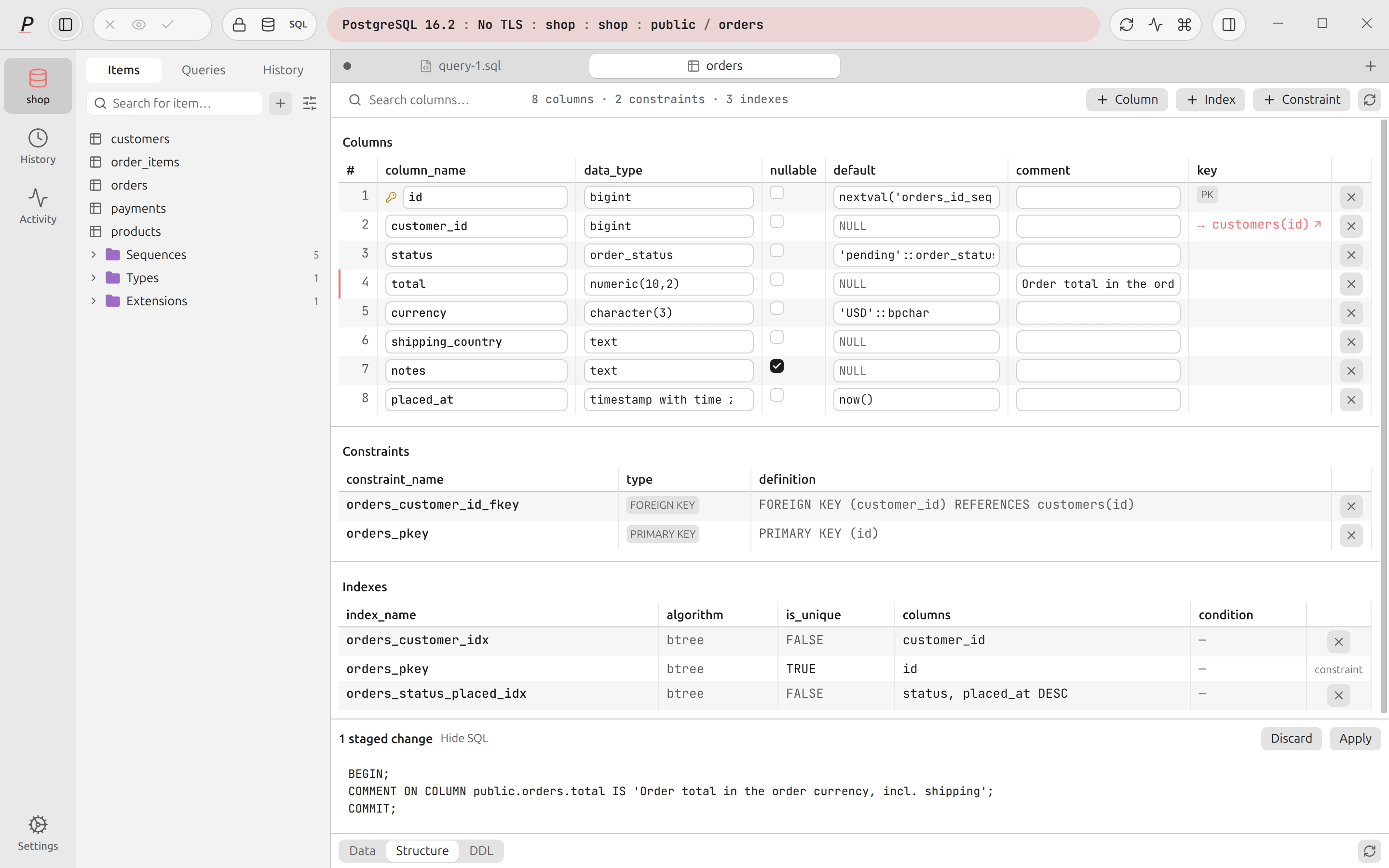
- Edit data in a grid, and check every change before Plasma saves all of the changes together.
- See your Postgres tables as a diagram, find why a query is slow, back up a database and compare two schemas.
- Change the tables and columns of MySQL, MariaDB and SQLite databases in a structure editor.
- Open CSV, Parquet, JSON and Excel files as tables with DuckDB.
- Browse Redis keys and values, see when each key expires, and run Redis commands with safety checks.
- Search OpenSearch documents, or query them with SQL.
- Get help from an optional AI assistant that uses your OpenRouter key, a local model, Codex or Claude Code.
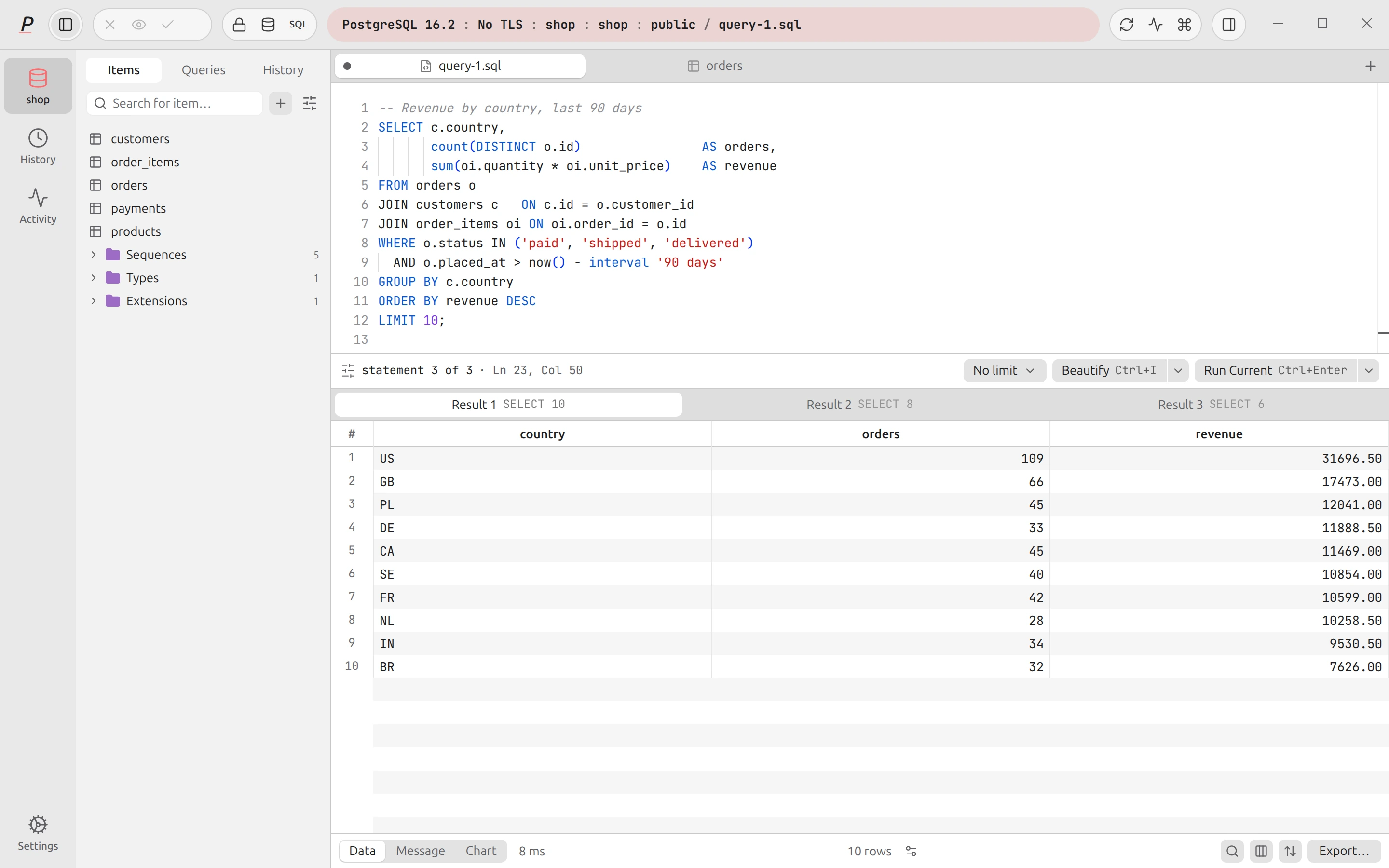
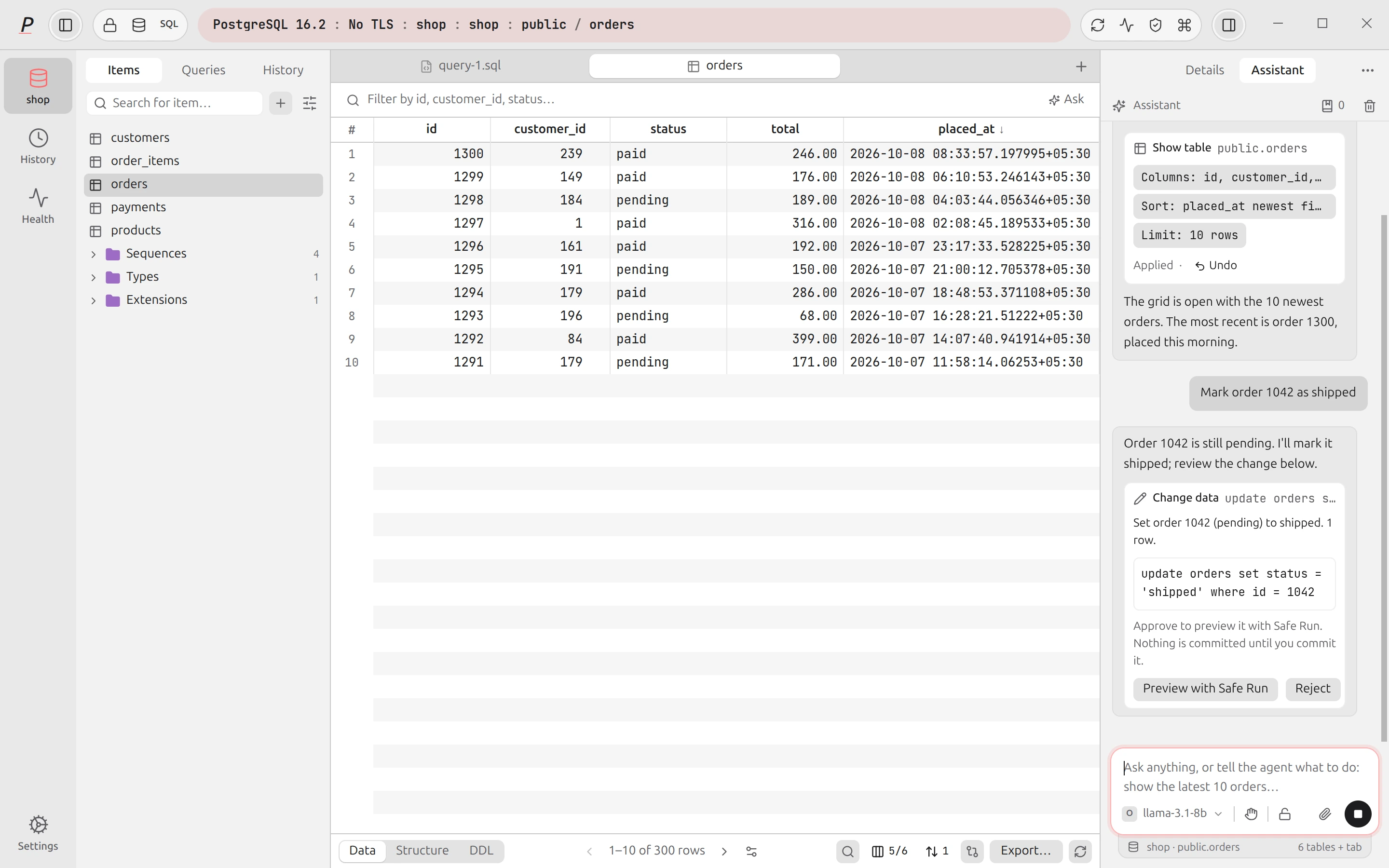
The screenshots show a fictional shop database in a temporary Postgres cluster.
Decisions & trade-offs
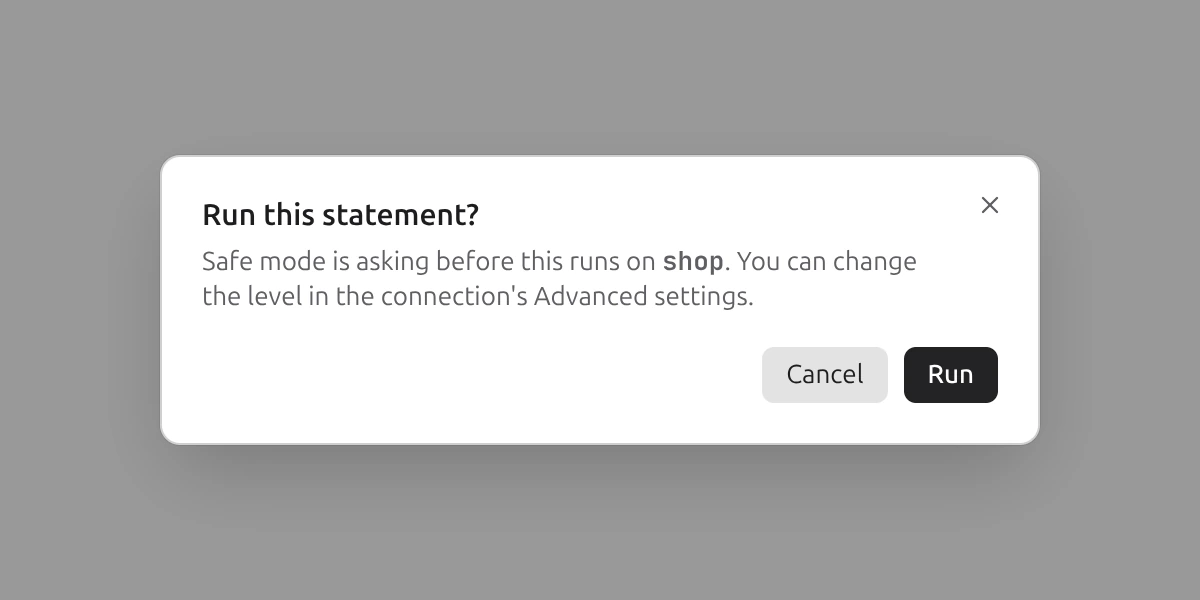
Guards in layers. I gave each connection a read-only option, a Prod tag, Safe mode and Safe Run. Safe Run shows the exact rows that a write changes and waits for you. The cost is more confirmations, and Safe mode sometimes asks about a safe statement.
Staged edits in one transaction. I keep grid and schema changes in a tray until you commit them together. You see the SQL first, and Plasma shows a conflict instead of writing over the change of another person. It is slower than live edits.
An assistant that asks first. I made the AI assistant and the MCP server propose actions, and nothing runs until you approve it. The AI does not change data on its own. The cost is that your prompts go to the provider you chose, unless you use a local model.
Unsigned builds, signed updates. I did not wait for Apple and Microsoft certificates, and I signed each update with my own key. The app checks this key before it installs an update. The cost is a warning at the first start on macOS and Windows.
A dense workbench layout. I replaced the first "Paper Editor" look with a dense layout like TablePlus. Colour shows only where it has a meaning, for example a red label on a Prod connection. Only the italic P in the logo stays from the old look.
What's next
- Code signing. With an Apple Developer ID and a Windows certificate, the first-start warnings stop.
- Builds for Intel Macs, ARM Windows and ARM Linux. There are none today.
- A known limit: the approval cards and MCP queries work on the SQL engines only, and Safe Run works on Postgres only.