Clippy
A clipboard history in the Mac menu bar. One shortcut opens it from any app.
- Runs on
- macOS
- Status
- Coming soon
- Version
- 1.0
- Needs
- macOS 13 Ventura or later
- Source
- Closed source
- Built with
The problem
The macOS clipboard holds one item. When you copy a new item, the last item is gone. I wanted a small, native clipboard history in the menu bar that opens from the keyboard and keeps all data on my Mac. OneTap gave me the idea for Clippy.
What it does
Clippy remembers the text, links, images and files that you copy on your Mac, so you can paste them again later.
- Open your copy history from any app with one shortcut, ⌘⇧V.
- See each item as a card with its type and its age, and see images as small pictures.
- Type to find an old item, and press Return to copy it again.
- Go back to your app at once, ready to paste. If you want, Clippy pastes for you.
- Change the shortcut, the size of the history, the layout, the colour and the theme.
- Keep your history private: it stays on your Mac, and Clippy ignores items from password managers such as 1Password.
- Keep your Dock clean, because Clippy stays only in the menu bar.
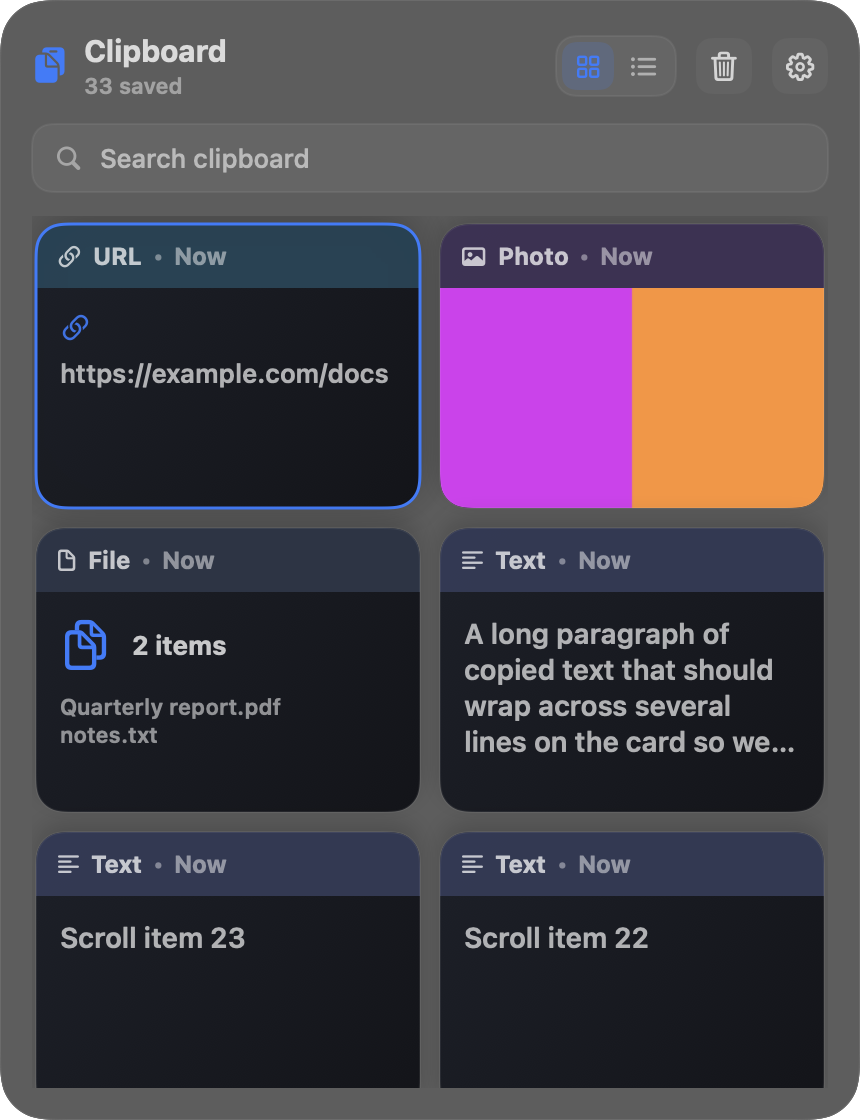
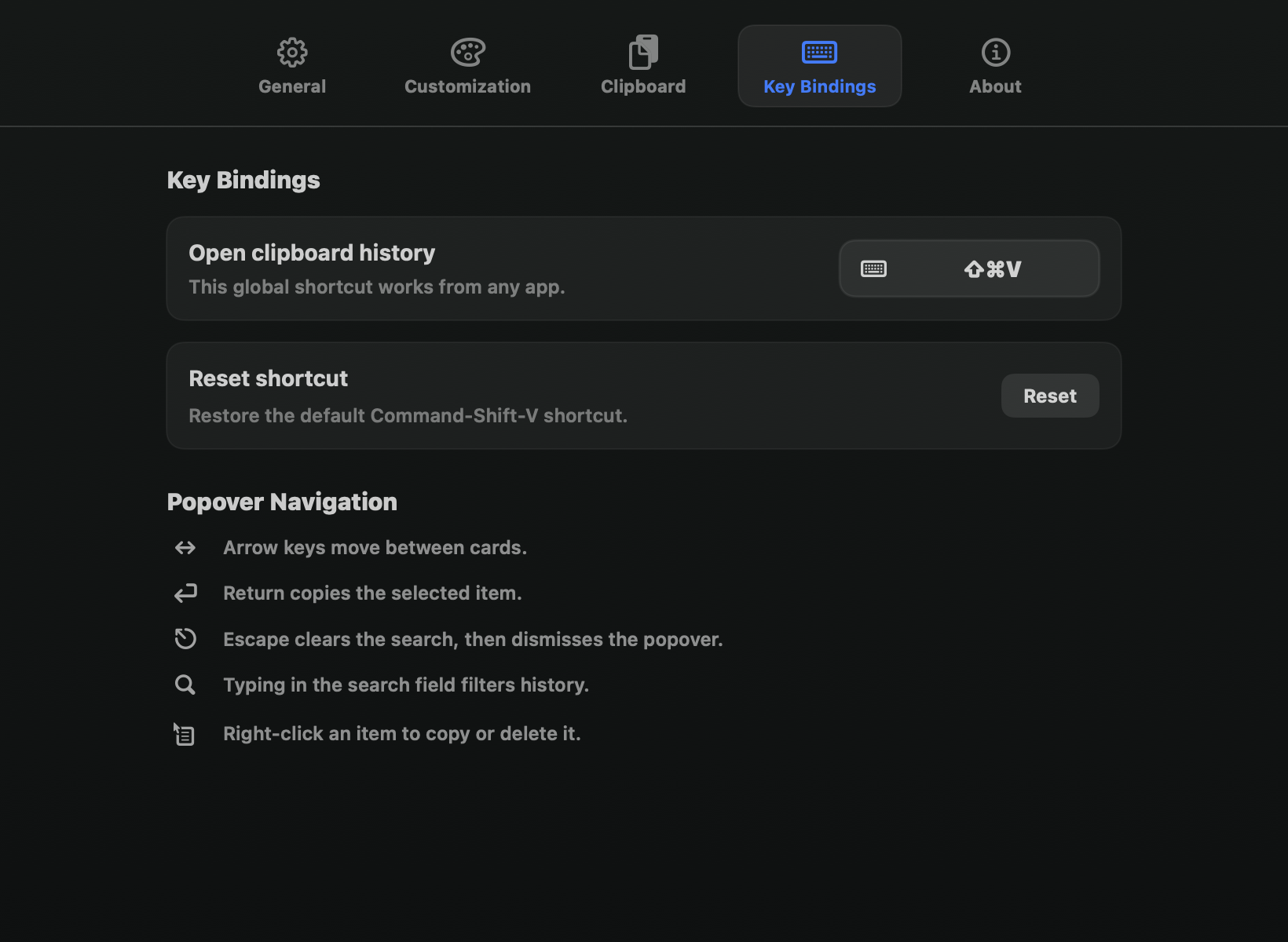
The screenshots use sample data.
Decisions & trade-offs
Check the clipboard on a timer. I made Clippy check the clipboard more than once a second. This is a simple and cheap way to see each copy. Two fast copies in a row can become one item.
Text before pictures. I made Clippy keep text when an app also adds a picture of that text, as spreadsheets and Word do. When you copy a table cell, you get the text, not a picture of it.
A JSON file, not a database. I keep the full history in one JSON file. This makes the storage simple and easy to read. It will not work well for a history much longer than the limit of 500 items.
Smaller stored images. I scale down large images before Clippy saves them. This keeps the history folder small. A large screenshot comes back smaller than the original.
Ask for permission only when needed. I turned off auto-paste by default, because it needs Accessibility permission. Clippy asks for this permission only when you click Grant Access in Settings. Without auto-paste, you must press ⌘V yourself.
What's next
- Clippy is not available to download yet.
- Before I share it, it needs a Developer ID signature and Apple notarization.
- The history is local to one Mac. There is no sync between Macs.